If you are looking for how to transfer airtime from MTN to Glo without a PIN, the short answer is that official telecom channels (USSD/SMS) do not support cross-network transfers or transfers without a security PIN. All official transfer services like MTN Share require a PIN to prevent fraud.

However, you can achieve this indirectly using third-party apps like Tingtel or Recharge2Cash. These services act as intermediaries where you “pay” them with your MTN airtime via a dedicated USSD code that acts like a transfer to their agent, and they instantly credit your Glo line. While this method effectively bypasses the need for an MTN Share PIN on your personal line for the recipient, it usually incurs a service fee of 2-15%.
Why You Can’t Transfer Directly (Official Limitations)
Telecom operators in Nigeria, including MTN, Glo, Airtel, and 9mobile, operate on separate, distinct billing systems. This means there is no direct interoperability or digital bridge that allows MTN airtime to magically become Glo airtime via a simple code. Furthermore, strict security mandates from the Nigerian Communications Commission (NCC) require that all airtime transfers must be authenticated with a PIN to protect subscribers from theft. Default PINs, such as 0000, must be changed before the first transaction can occur. Therefore, any website or blog claiming you can dial a simple code to send airtime from MTN to Glo for free is likely misleading you regarding the technical realities of the network.
The Workaround: Using Third-Party Apps
Since direct transfer isn’t possible, “Airtime Swap” apps fill the gap. Here is how the most popular ones work in 2026.
Method 1: Using the Tingtel App
Tingtel is a popular “Airtime-to-Cash” and “Airtime Swap” app in Nigeria that allows you to move credit between networks. To use this service, first download the Tingtel app from the Google Play Store or Apple App Store. Once installed, register and verify your phone number to create an account. Navigate to the “Airtime Transfer” or “Airtime Swap” option within the main menu. You will then need to choose “Source Network” as MTN and “Destination Network” as Glo. After entering the amount you wish to swap and the recipient’s Glo number, follow the on-screen instructions to transfer the MTN airtime to the designated Tingtel wallet number. Once the transaction is confirmed, Tingtel credits the Glo number instantly, though you should expect a service fee of roughly 2% to 5%.
Method 2: Recharge2Cash / Aimtoget
These platforms focus on converting airtime to cash, which you can then use to buy Glo airtime. Start by visiting the Aimtoget website or mobile app. Select the “Sell Airtime” feature and transfer your MTN airtime to the unique number provided by the platform. Your wallet on the app will subsequently be credited with cash, minus a service fee that typically ranges from 10% to 15%. Finally, use the cash balance in your wallet to purchase a Glo recharge for your desired number. Note that this method is generally more expensive due to the higher conversion fees associated with turning airtime into withdrawable cash.
How to Handle the “PIN” Issue on MTN
Even when using third-party apps, you will eventually need to transfer the airtime from your MTN line to the app’s agent line. This action requires a PIN. If you have forgotten your MTN Share PIN or never set one, you cannot send airtime to anyone, including swap apps.
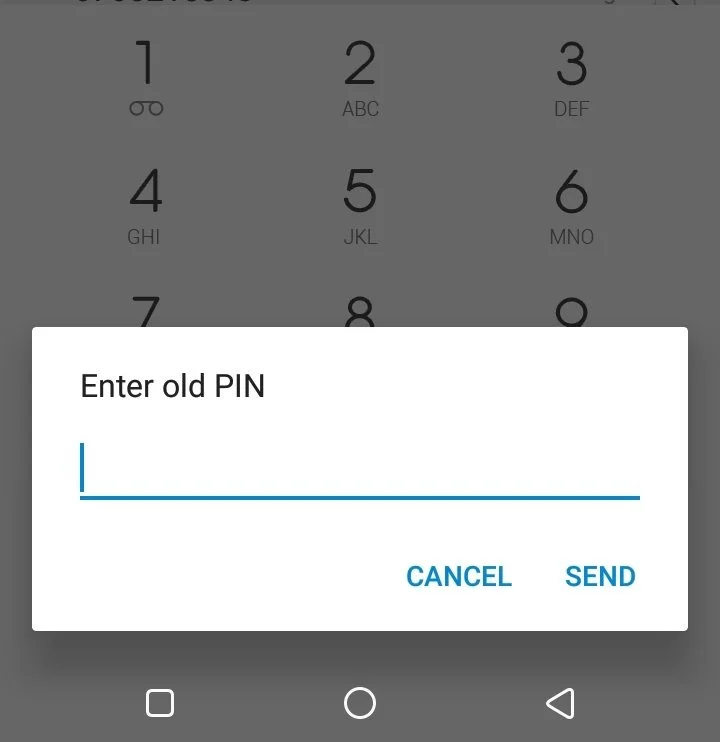
How to Reset Your MTN Transfer PIN:
If you have never changed your default PIN:
- Dial *321*0000*NewPIN*NewPIN#
- Example: *321*0000*1234*1234# (Sets your PIN to 1234)
If you have forgotten your old PIN:
- You must call MTN Customer Care (180) or visit an MTN Connect center to have it reset for security reasons. There is no DIY code to bypass a lost PIN to prevent unauthorized transfers.
FAQs
Q1: Is it free to transfer airtime from MTN to Glo?
No. Since direct transfer is impossible, third-party apps charge a service fee ranging from 2% to 15% to facilitate the swap.
Q2: Can I transfer airtime to a Glo line using USSD code 777?
No. *777# is the Glo data menu code. It cannot be used to receive airtime from an MTN line.
Q3: What is the default PIN for MTN airtime transfer?
The default PIN is usually 0000. However, you cannot use this default PIN for transactions; you must change it to a personal 4-digit code first.
Q4: Is Tingtel safe for airtime swaps?
Tingtel is widely used and generally considered safe for small transactions. However, always check recent reviews on the Play Store before downloading any financial app, as app reliability can change.
The Reality of Cross-Network Transfers
While the idea of sending airtime from MTN to Glo without a PIN sounds convenient, the security protocols of Nigerian telecom operators make it impossible to do directly. Your best option is to secure your MTN line by setting a PIN and then using a reputable app like Tingtel to handle the cross-network swap.
Always remember: Never share your SIM’s PIN with anyone, even “agents” claiming they can help you transfer airtime.
Written by: Kehinde Mosope

Tech & SEO Specialist | Founder of NaijaFix

5+ Years Experience in Mobile Troubleshooting & Consumer Tech

Published: February 4, 2026

Last Updated: February 4, 2026

About the Author: Kehinde Mosope helps Nigerians solve everyday phone, network, and internet problems using real tests and practical solutions, not theories.